You run the building
Building owner or manager
Everything in one place: what is broken, who is coming in, which company owes what, and what your tenants are being told. This is the account that can see all of it.
Getting in
You are set up when the building is created. If you own several buildings you switch between them from the dashboard, and each one keeps its own colours and logo.
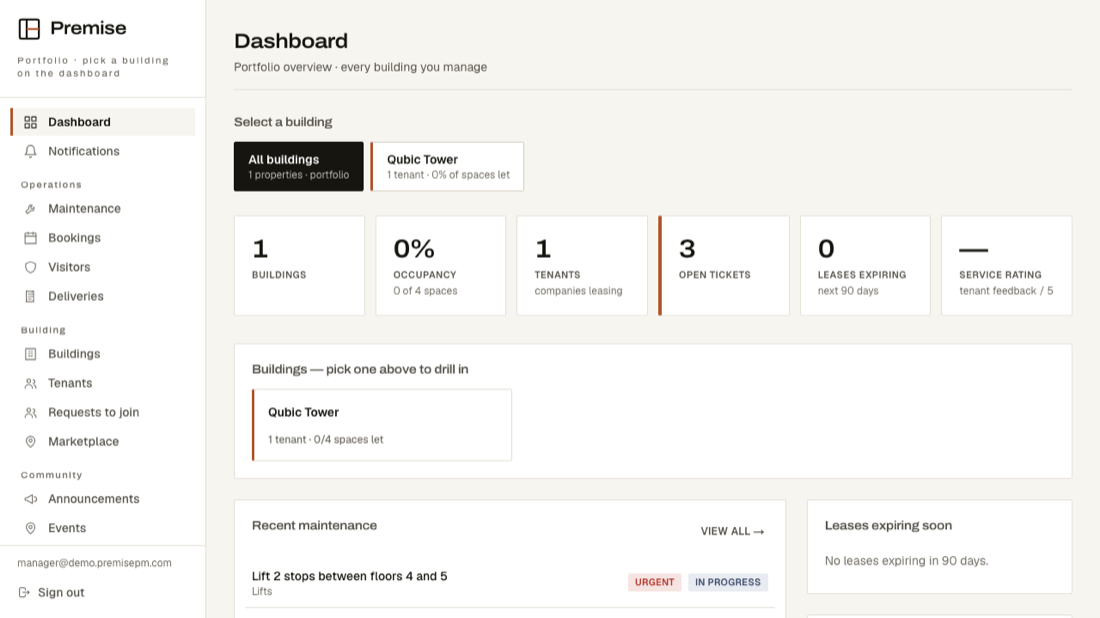
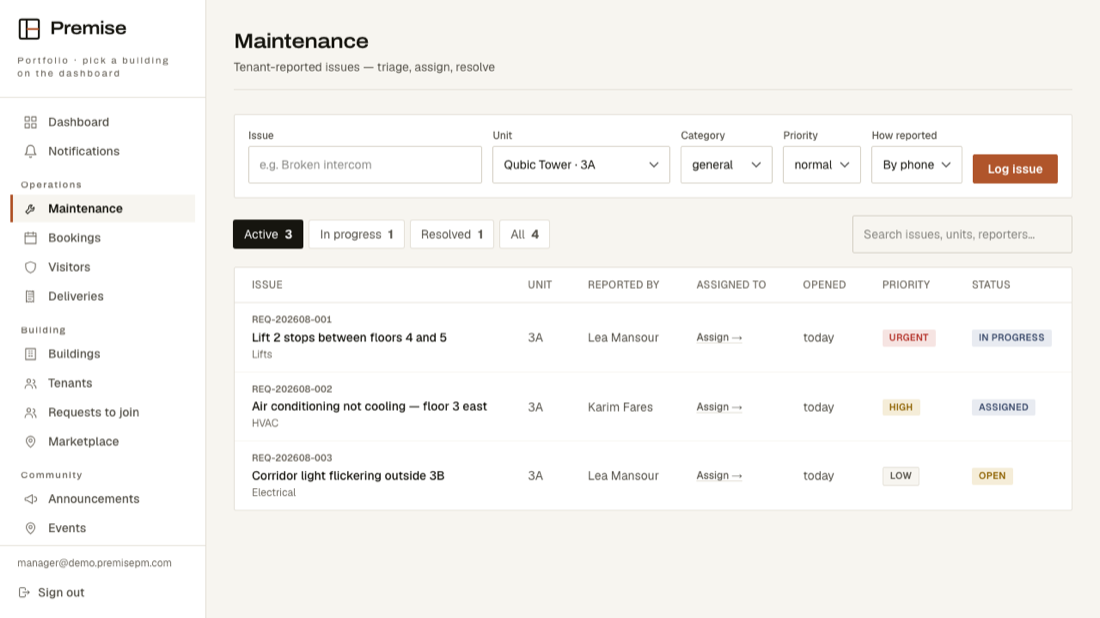
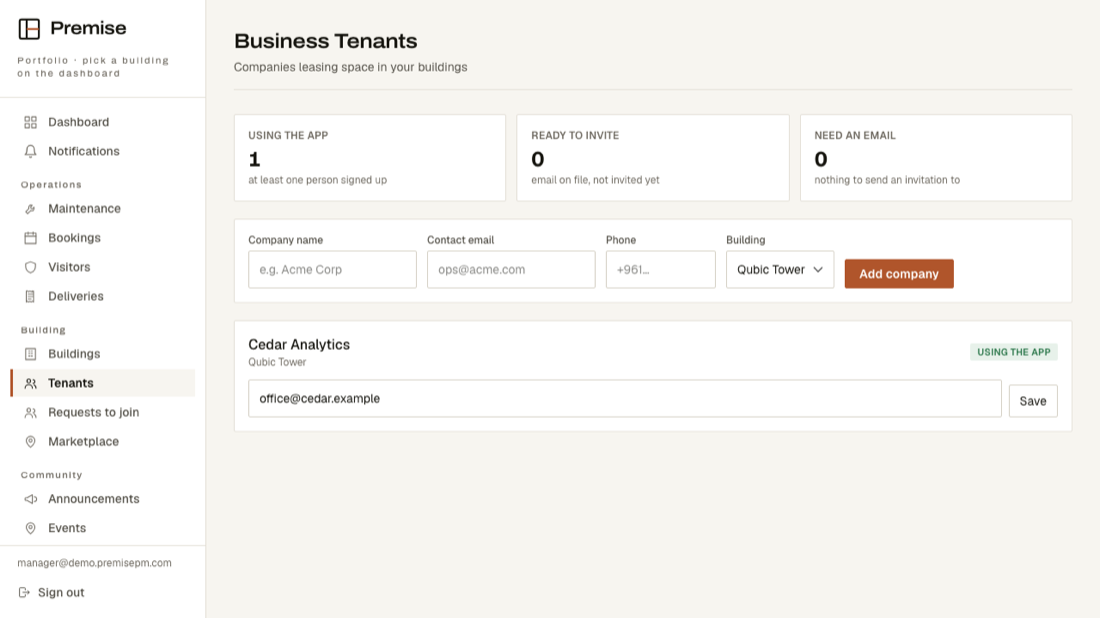
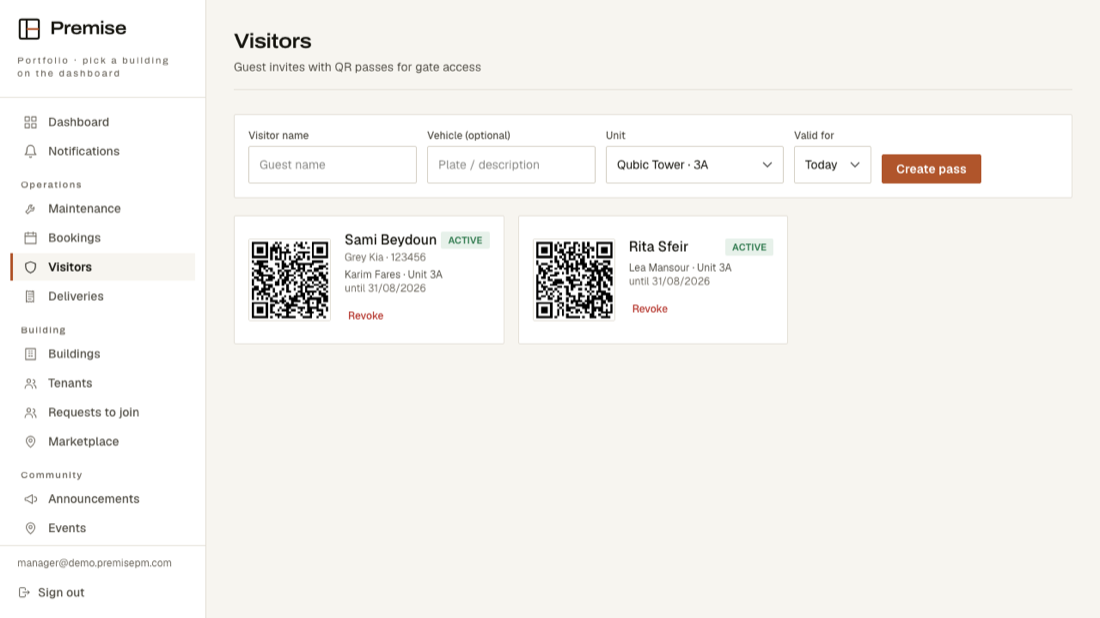
What your screen looks like
These are real screens, photographed from the running product — not drawings.
What is on your menu
- DashboardThe whole building at a glance.
- NotificationsAnything that needs you.
- MaintenanceEvery reported fault, who has it, and where it stands.
- BookingsWhich room is taken, and by whom.
- VisitorsWho is expected, and a pass to check them in against.
- DeliveriesLog what arrives, mark it collected.
- BuildingsYour buildings and their spaces.
- TeamThe people who run the building.
- ResidentsThe people who live or work in the building, and where they are.
- TenantsThe companies renting space in the building.
- Requests to joinReview requests for access to the building.
- MarketplaceSpace available in your buildings.
- AnnouncementsPost notices for the building.
- EventsEvents in the building.
You see everything
This account has the full building. The narrower logins below exist for people whose job is one thing.