You park and retrieve cars
Valet
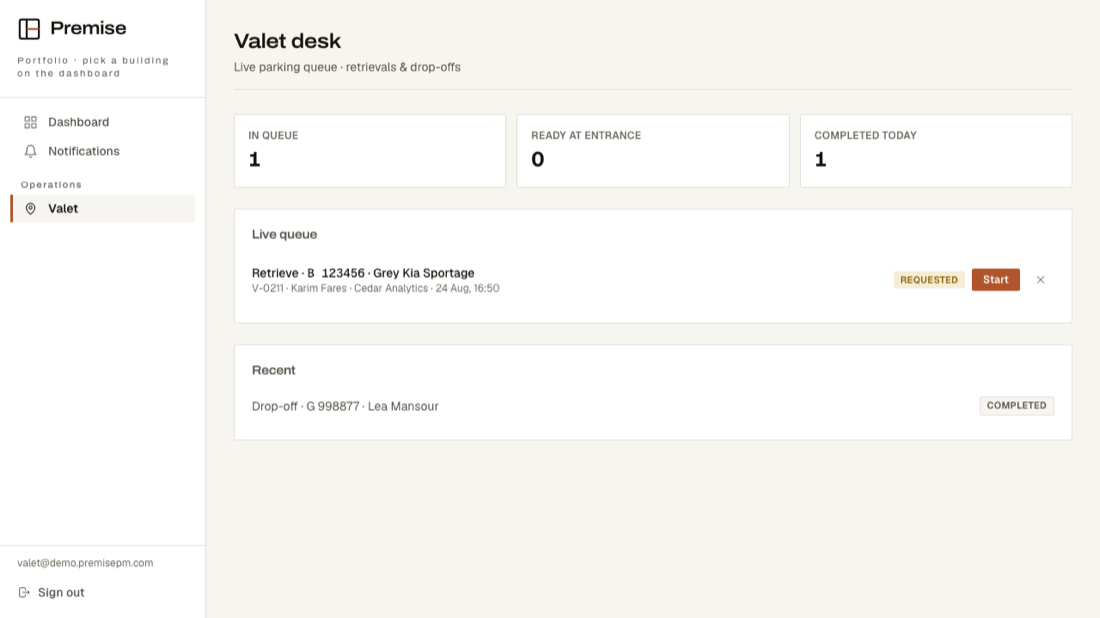
One screen: who asked for their car, which car it is, and what state the request is in.
Getting in
The building manager creates your login. It works on a phone, standing in the garage.
What your screen looks like
These are real screens, photographed from the running product — not drawings.
What is on your menu
- DashboardGoes straight to Valet — the cars waiting are your first screen.
- NotificationsAnything that needs you.
- ValetCars to fetch and cars to park, in the order they were asked for.
What you cannot see
Everything else. Maintenance, tenants, money, deliveries, visitors — none of it is on your screen and none of it is readable by your account.